Why Hello Bean
Built for the way Australian freelancers actually bill.
Six outcomes, in the order they matter on a Friday afternoon. Every one of them is a feature you can open in the app today — nothing here is a roadmap.
1 · Time
Bill by the day, the hour or the job.
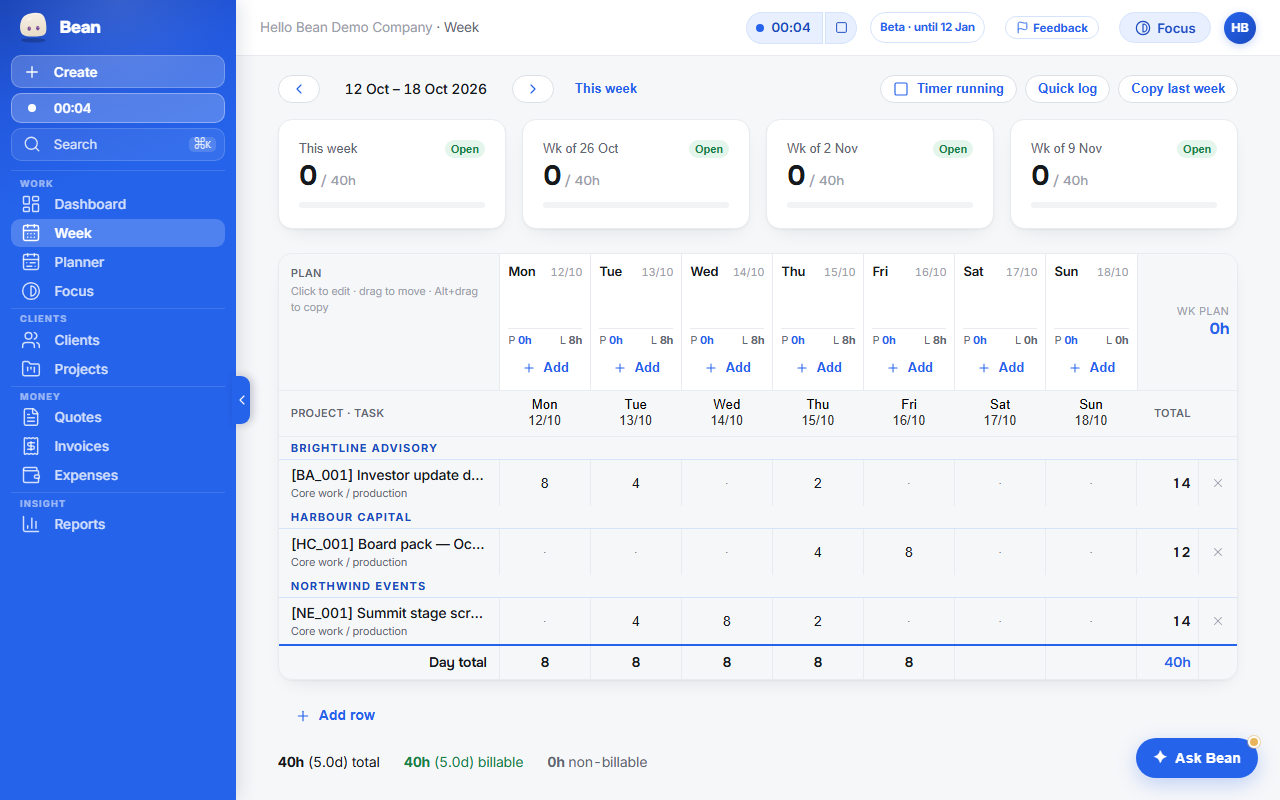
Some of us bill a day's work; some bill the hour; some bill the job. Hello Bean does all three: a day rate, an hourly rate or a flat fee. Its Week grid is Monday to Sunday across the top and one row per job and task; type 2, 4 or 8 — or press the quick buttons — and the day is logged. Fill a day in one click, copy last week, leave a note on a cell.
- A whole or half day in one tap, or type the hours to the quarter hour. Your call.
- A timer for the days you do want one: start it anywhere, it rounds to the quarter hour, checks in every two hours and stops itself after twelve.
- Invoiced time is locked — editing a billed cell asks first.
2 · Tax
GST right by default. BAS-ready each quarter.
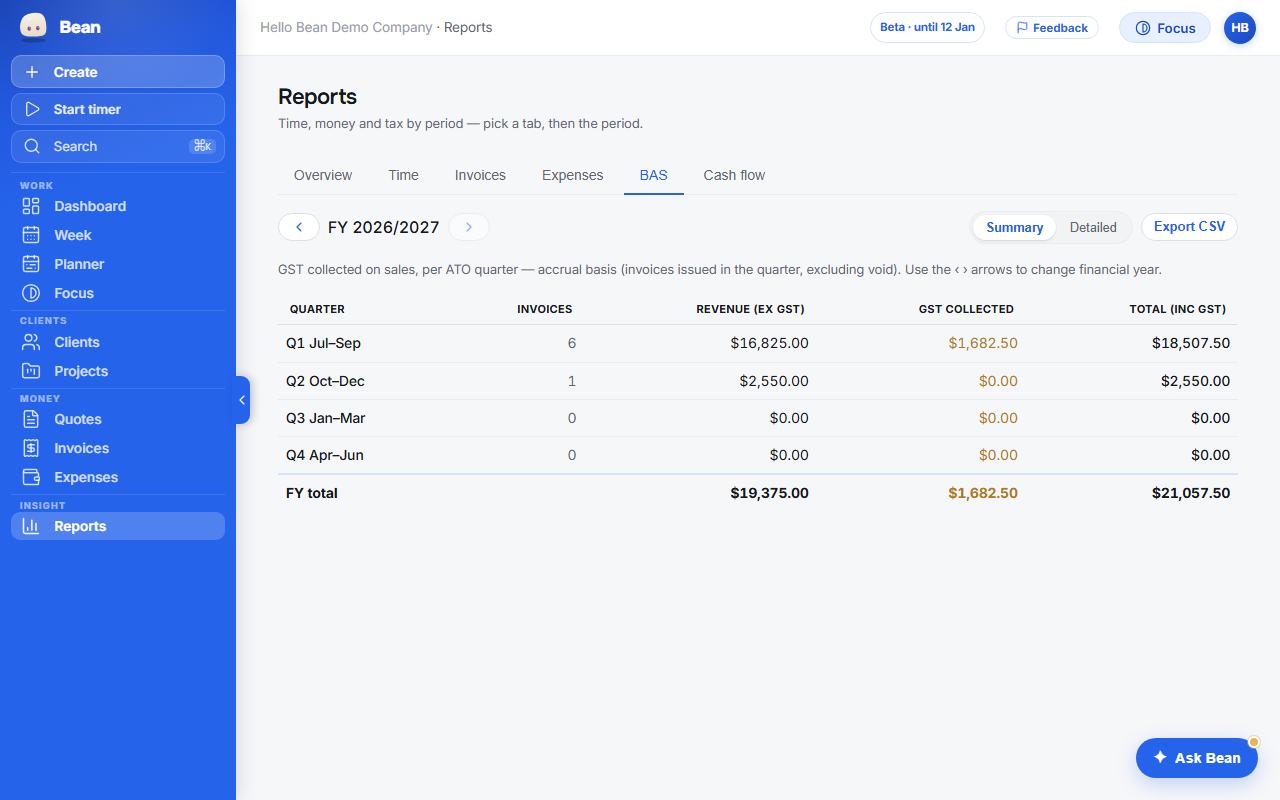
You never configure tax. Tell Hello Bean once whether you are registered for GST and it does the rest: the invoice reads “TAX INVOICE” only when GST applies and your ABN is on it, otherwise “INVOICE”; the GST line is computed; dates are Australian. Hello Bean does not lodge your BAS, and your accountant confirms the figures.
- Reports → BAS: GST collected and revenue by BAS quarter, for any financial year, on a cash or accrual basis, with a CSV for your accountant. In every plan.
- GST paid on expenses with receipts, shown separately — never netted, because Xero or your accountant owns the net.
- “Includes GST?” on every expense keeps the true cost ex GST; fines are GST-free on their own.
3 · Invoicing
A sendable invoice in your first hour.
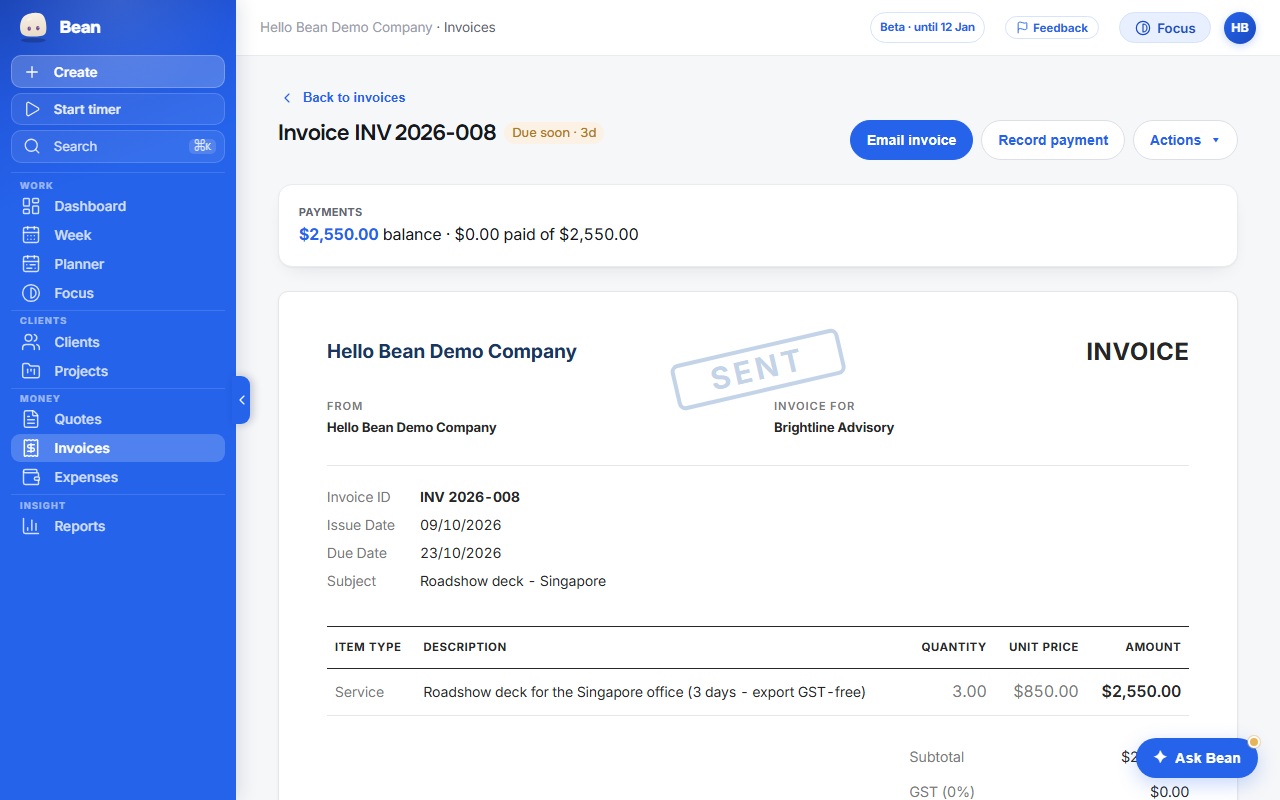
Business name, ABN, address, GST yes or no, bank details, logo — sixty seconds. Then pick the jobs and the unbilled time becomes line items. Bill by day, by the hour, or as a flat fee; group by task or project; show or hide the rate. The PDF is a clean Australian invoice, a tax invoice when GST applies, with your logo and colour.
- Hello Bean numbers your invoices in order and never twice, even with two drafts open.
- Email it from the app with the PDF attached, as “Your Business via Hello Bean” with replies to you — or from your own Gmail.
- Quotes with a link your client can accept or decline; accepting drafts the invoice.
4 · Money
Paid online, into your own Stripe.
Connect your Stripe account once and every invoice carries a Pay online button. The money lands in your Stripe, not ours — Hello Bean takes no cut and never touches it. When the client pays, the invoice flips to Paid by itself; a refund flows back the same way.
- Cards, Apple Pay, Google Pay and BECS, whatever your Stripe account accepts.
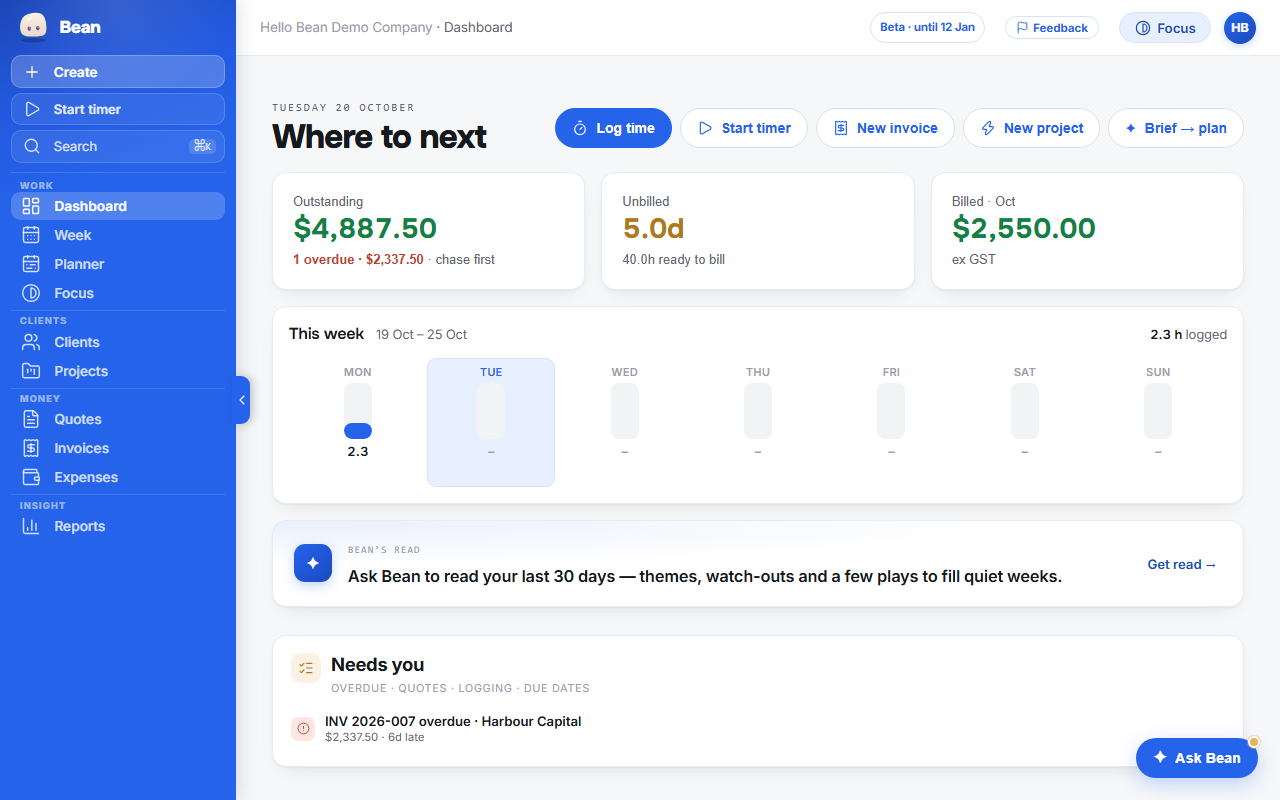
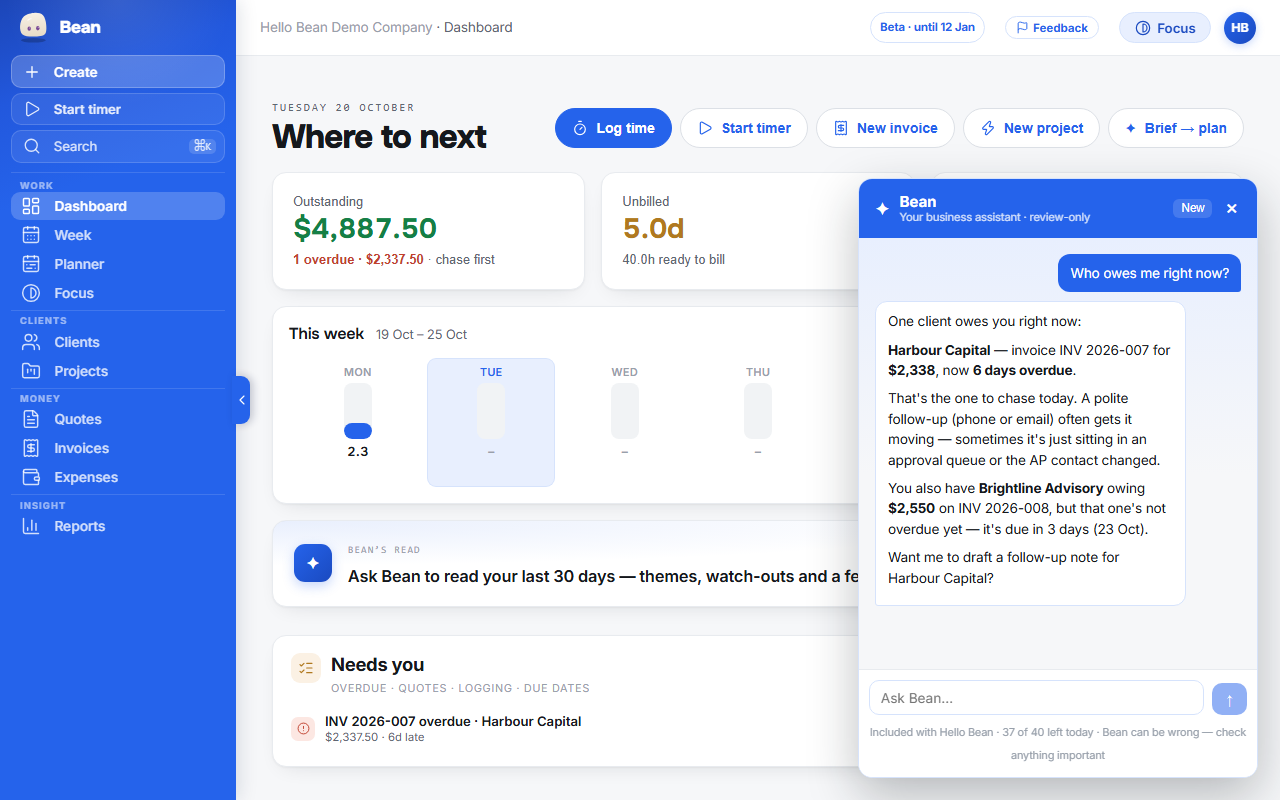
- The Dashboard opens on who owes you: Outstanding, Unbilled and Billed against the monthly target you set.
- On Power Bean, push the invoice to Xero when you use it; reconcile the payment from your bank feed as usual and it shows as paid here too.
5 · The admin
Bean does the admin. You decide.
Bean is the assistant inside Hello Bean. It reads a snapshot of your real numbers before it answers — who owes you, what is unbilled, which quote has gone quiet — and nudges in that order. It drafts the chase email or the invoice note; you read it and press send.
- Overdue reminders and payment thank-yous sent for you, opt-in and capped, with a per-client opt-out.
- Paste a client brief and get deliverables, day estimates and key dates back for review; create the project and a draft quote from it.
- Bean never sends anything and never writes to your data without a card you confirm.
Bean, the reminders and the brief are in Power Bean. Core does the whole job without them. What Bean does, and what it never does →
6 · Ownership
Your data is yours.
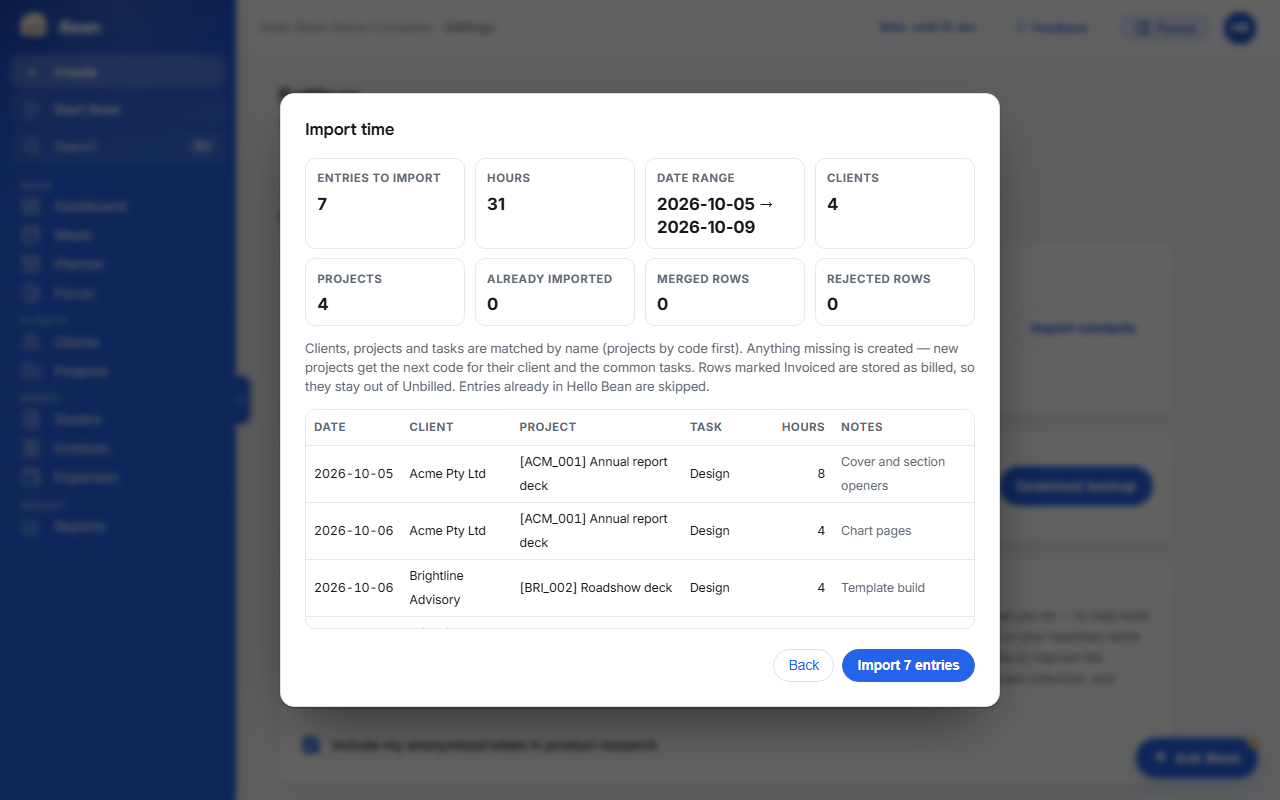
A full JSON backup and CSV exports of time, invoices and expenses from Settings, any time, no request needed. Bring your history in the same way: exports from your old tool or your own register, previewed before anything is written, safe to run twice.
- Your database, your files and the server functions that act for you are hosted in Sydney, Australia.
- No third-party analytics, no advertising pixels, no tracking cookies — on this site or in the app. Two-factor sign-in when you want it.
- Delete your account yourself from Settings → Account: a backup download first, a 21-day cooling-off window, then everything is removed.
Switching from another tool?
Hello Bean reads Harvest and Toggl exports as they come — the detailed time CSV from either, plus Harvest's invoice and contact exports — and a plain spreadsheet register with invoice number, client, date and total. Settings → Data → Import, map the columns in the preview, and your history is in a few clicks. Numbering can continue where the old tool left off.
Step-by-step guides: switching from Harvest · switching from Toggl · switching from spreadsheets.
Private beta now. Public access from 1 December 2026.
We're inviting Australians who invoice regularly — a few a month, or registered for GST with a BAS to prepare. Beta testers get complimentary Power Bean for the beta testing period, then founding-member pricing if they stay.